
Introduction
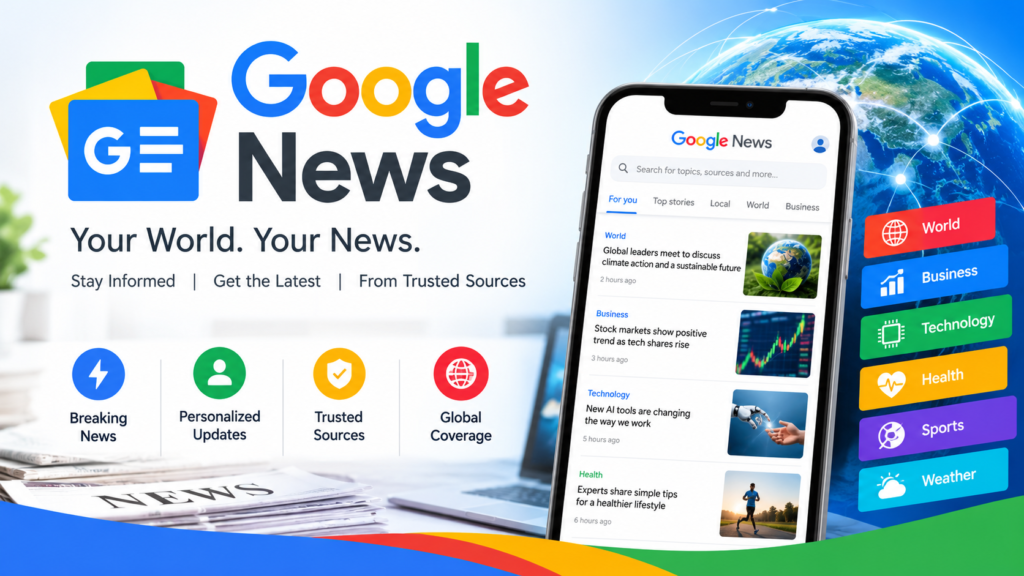
Google News is a popular online news platform that helps people discover current events, breaking news, local updates, international headlines, and in-depth reporting from a wide range of publishers. Whether someone wants to follow politics, business, technology, sports, entertainment, health, or global affairs, Google News provides a convenient way to explore stories from different sources in one place.
In today’s digital world, people want news that is timely, relevant, easy to access, and available on their preferred devices. Traditional newspapers and television remain important sources of information, but digital platforms allow readers to explore developing stories throughout the day. Google News brings together news-related content from publishers across the web and organizes it through automated systems.
The platform is available through its website and mobile applications. Readers can explore headlines, search for specific events, follow topics, discover local reporting, and personalize parts of their news feed. Features such as Full Coverage can also help readers understand an important event through reporting from multiple sources.
Google News is useful not only for readers but also for journalists, publishers, bloggers, and website owners who want to understand how news content is discovered online. However, appearing in Google News is not guaranteed, and publishers must follow Google’s applicable content policies.
This guide explains what Google News is, how it works, its main features, how to personalize the news feed, how publishers can improve content visibility, and how to evaluate information responsibly.
What Is Google News?
Google News is a news aggregation service developed by Google. It organizes news-related content from different publishers and presents stories according to factors such as relevance, freshness, location, language, and other signals used by Google’s automated systems.
Instead of visiting many news websites individually, users can explore numerous headlines and reports through a single platform. They can read about current events, compare reporting from different publications, and discover stories they might otherwise miss.
Google News covers a broad range of subjects, including:
- National and international news
- Politics and government
- Business and financial developments
- Technology and innovation
- Sports and major competitions
- Entertainment and celebrity news
- Science and environmental issues
- Health and education
- Local community updates
- Weather-related and other developing events
The exact stories shown depend on the user’s language, region, interests, settings, and the news available at a particular time.
Google News does not operate as a traditional newspaper with a single editorial team writing every story. Instead, its systems discover eligible content from publishers and organize it for readers. Publishers remain responsible for their own reporting, editorial decisions, and published claims.
Quick answer: Google News is a free-to-access news discovery platform that helps users find headlines, developing stories, local reporting, and articles from different publishers. Some linked articles may require a subscription or payment.
How Does Google News Work?
Google News uses automated systems to discover, analyze, organize, and display news-related content. These systems process information from a wide range of publishers to help users find stories that match their interests and information needs.
The platform continuously changes as new articles become available and important events develop. Its homepage is therefore not a fixed collection of stories. The selection can change throughout the day.
1. Discovering News Articles
Google discovers eligible news content through its web crawling and search technologies. These systems identify pages that appear to report on current events or other news-related subjects.
For publishers, this means that content should be accessible to Google’s crawlers and presented in a way that makes the article’s purpose clear. A technically accessible page still needs to comply with applicable policies and compete with other relevant content.
2. Understanding the News Topic
Google’s systems analyze information about an article to understand what it covers. The headline, page content, publication details, language, and other available signals can help establish the subject and relevance of a story.
Clear headlines and focused reporting help readers understand an article before opening it. Publishers should avoid vague titles that hide the subject or exaggerate what the article actually contains.
3. Organizing Relevant Stories
News articles may appear in different sections, including Headlines, personalized recommendations, local news, and search-related news experiences.
The specific selection depends on the feature being used. Some areas are personalized, while others are designed to provide broader coverage of a news topic.
4. Personalizing the User Experience
Google News can tailor certain parts of the experience to a reader’s interests, followed topics, preferred sources, language, and location. Depending on account settings, activity across Google services may also influence some recommendations.
Personalization makes it easier to find relevant stories, but it can also mean that two users see different recommendations.
5. Updating News Throughout the Day
As publishers release new reporting and events change, Google News can update its collection of available stories. Developing stories may receive additional coverage, corrections, analysis, or new details.
For more information about how stories are selected, readers can consult Google’s official explanation of its news systems. Google News Help.
Key Features of Google News
Google News includes several features designed to make news discovery easier and more informative.
Headlines and Top Stories
The Headlines section helps readers discover important news stories from a range of subjects. Depending on the interface, region, and device, users may see developing events, major national stories, international reporting, and other current headlines.
Top Stories is also a feature associated with Google Search. It may appear when a search query relates to a newsworthy event. It is different from the personalized Home feed in Google News, so users should understand that news experiences across Google are not all organized in the same way.
Readers can use headlines to identify important developments quickly and then open individual reports for additional information.
Personalized News Feed
The personalized news feed helps users find reporting related to their interests. Someone who regularly follows technology may see more technology-related recommendations, while a reader interested in business may discover more financial and economic reporting.
Personalization can be adjusted by following topics and sources or by indicating that certain stories are less useful. Available controls may vary by device and version.
Users should remember that personalized recommendations are designed around relevance, not as a complete representation of every important event.
Full Coverage
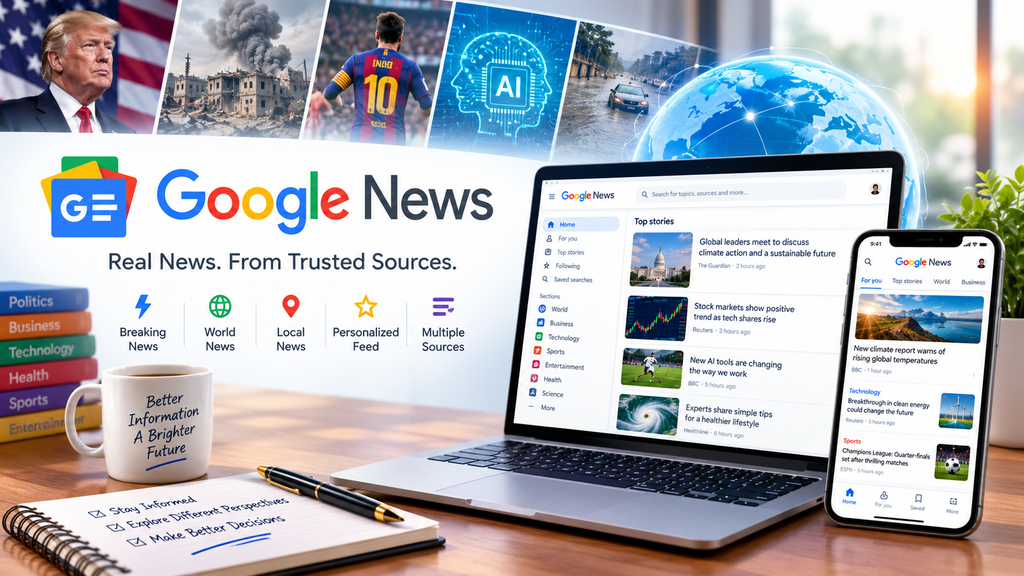
Full Coverage helps readers explore a story through multiple reports and perspectives. Rather than relying on one article alone, readers may discover related reporting, background information, analysis, and updates from different publishers.
This feature is especially useful for complex subjects such as elections, international conflicts, public policy, scientific developments, and major economic changes.
Reading multiple sources does not automatically establish that every claim is correct. Readers should compare the evidence, distinguish verified facts from opinion, and pay attention to publication dates. google news
Local News
Local news helps users discover reporting about communities and locations that matter to them. Depending on availability, readers may follow a city or another area to see news related to local government, community events, public services, education, transport, and other regional developments.
Local reporting is particularly valuable because national headlines may not explain how an event affects a specific neighborhood or community.
Topics and Sources
Google News allows users to explore subjects and follow publishers. A reader might follow technology, cricket, business, science, or a preferred news organization.
Following a source can make its reporting easier to discover. However, following a publisher does not mean that every article from that publisher will appear in every part of the feed.
News Notifications
Notifications can help users keep up with important stories without repeatedly opening the app. Their availability and controls depend on device settings, app permissions, and Google News preferences.
Users who receive too many alerts can review notification settings and reduce notifications that are not useful.
News Search
The search feature allows readers to look for specific events, people, organizations, subjects, and historical developments. Adding a location or date to a query can make results more relevant.
For example, someone researching a major sports event might search for the competition name and year. A reader looking for local reporting could include the city or region in the query.
Newsstand and Publisher Content
Depending on the user’s region and the features available, Google News may offer publisher-focused experiences, subscription options, or content from participating publications.
Availability varies. Not every publication, subscription service, or special feature is accessible in every country.
How to Use Google News
Getting started with Google News is straightforward. Users can access the service through a web browser or a compatible mobile application.
Using Google News on a Desktop
To access Google News on a computer:
- Open a web browser.
- Visit the official Google News website at https://news.google.com/.
- Review the available headlines and categories.
- Select a story to read the publisher’s article.
- Use the search feature to find a particular topic or event.
- Explore related coverage when you need more context.
Signing in to a Google Account can make it easier to manage preferences and use personalization features. Some features may remain available without signing in.
Using the Google News Mobile App
The mobile application provides a convenient way to explore news while traveling, commuting, or taking a break.
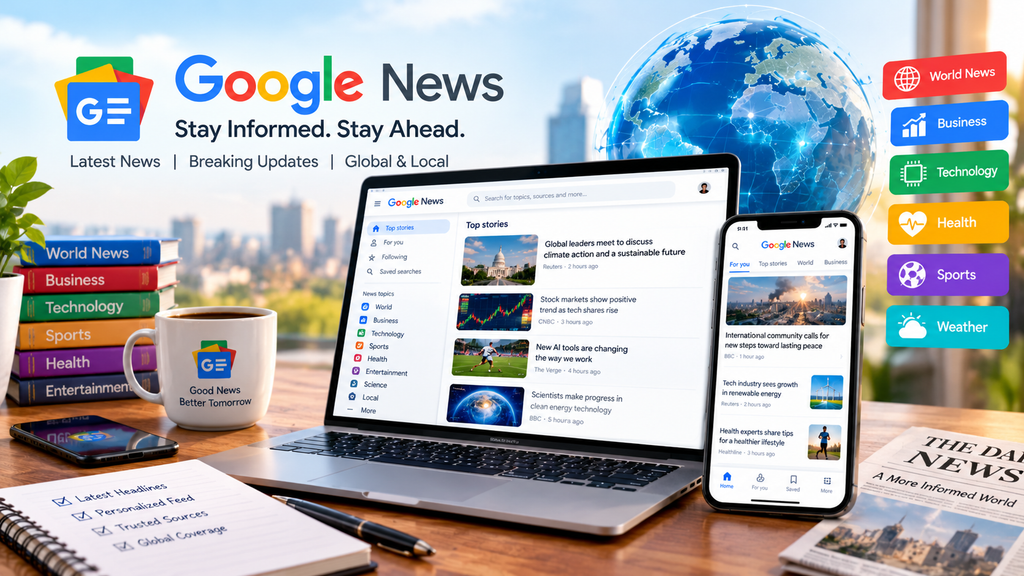
Users can install the official application from the appropriate app store, open it, and review the available stories. They can browse headlines, search for topics, follow sources, and adjust settings.
The interface can vary between Android and iOS, and features may change with app updates.
Finding Specific News
A focused search can help readers locate useful reporting more quickly. Instead of searching for a broad phrase such as “technology news,” users can search for a particular company, product announcement, policy change, or event.
Adding a date range or location can further narrow the subject. When researching a developing event, readers should check whether an article has been updated and whether newer reporting is available.
How to Customize Your Google News Feed
One of the main advantages of Google News is the ability to shape parts of the news experience around personal interests.
Follow Topics You Care About
Readers can follow topics that matter to them. Examples include:
- Artificial intelligence and technology
- Business and entrepreneurship
- International relations
- Cricket and football
- Education and science
- Entertainment and movies
- Local community developments
Following a topic can help users discover related stories more easily. However, it does not guarantee that every article about that topic will appear.
Follow Preferred News Sources
Readers may choose to follow publishers whose reporting they find useful. This can make relevant articles from those sources easier to discover.
A good approach is to follow a mixture of established news organizations, specialist publications, and credible local outlets. Different sources may offer different reporting strengths, geographical knowledge, or subject expertise.
Adjust Story Recommendations
If a story or subject is not useful, readers can use the available feedback controls to influence certain recommendations. Options may include indicating less interest in a topic or source.
These controls can improve personalization, although they do not necessarily remove every related article from every Google service.
Manage Language and Location
Language and location settings affect the relevance of news recommendations. A reader interested in local news can select or follow available locations, while someone researching international events may prefer broader coverage.
People who use more than one language can benefit from exploring news in different languages when they want to compare reporting or access additional context.
Control Notifications
Notifications can be useful for important developments, but excessive alerts may become distracting. Users can review the application’s notification settings and choose which types of updates they want to receive.
The best setup is one that keeps readers informed without interrupting their daily activities unnecessarily.
Google News for Local and International Updates
Google News helps readers explore stories at both local and international levels. This combination is important because major global developments and community-level events can affect people in different ways.
Local News Coverage
Local news can include public transportation, education, municipal decisions, community projects, business openings, public safety, and regional events.
For example, a reader interested in Hyderabad, Sindh, may look for reporting about local infrastructure, community activities, education, regional business, and developments affecting residents.
The availability and depth of coverage depend on what publishers produce and what the platform can discover. Smaller communities may have fewer dedicated news sources than large cities.
International News
International news allows users to follow political developments, economic trends, diplomatic relations, scientific breakthroughs, conflicts, and other events across countries.
When reading international reporting, it is helpful to compare sources based in different regions. A local outlet may understand the background of an event, while an international organization may provide additional context or access to other experts.
Readers should be careful when interpreting translated headlines, statements taken out of context, or early reports that have not been independently verified.
Business and Financial News
Business reporting covers company announcements, markets, trade, employment, inflation, technology investments, and economic policy.
Readers using Google News for financial research should distinguish between factual reporting, market commentary, advertising, and investment recommendations. News coverage can provide context, but it should not be treated as a guarantee of future market performance.
Technology and Science News
Technology and science reporting can help readers follow new products, research findings, digital services, artificial intelligence, cybersecurity, climate research, and medical discoveries.
For technical or scientific claims, readers should look for original studies, named researchers, credible institutions, and explanations of limitations. A headline may simplify a complicated finding, so reading the full article is often worthwhile.
Benefits of Using Google News
Google News offers several benefits for people who want to keep up with current events.
1. Convenient Access to Multiple Sources
Users can discover reporting from different publishers in one place rather than opening numerous websites separately.
This saves time during the initial news discovery process and makes it easier to identify related coverage.
2. A Broad Range of Topics
The platform covers numerous subjects, allowing readers to explore news related to their profession, interests, community, or personal research.
3. Personalized Recommendations
Readers can follow topics and publishers to make parts of their news feed more relevant to their interests.
4. Access to Local Reporting
Local news features can help people stay informed about developments affecting their communities.
5. More Context Through Related Coverage
Features such as Full Coverage can connect readers with different reports about a particular event, making it easier to explore background and alternative perspectives.
6. Flexible Access
Google News can be accessed through a browser and compatible mobile devices. This makes it convenient for readers who prefer a desktop experience as well as those who want news while on the move.
7. Easy Topic Discovery
A reader who begins with one headline may discover related subjects, explainers, and additional reporting. This can support further research and help people understand how different developments are connected.
8. Useful for Research
Students, journalists, professionals, and researchers can use news discovery tools to identify developing stories and locate relevant reporting. Important factual claims should still be verified against original documents, expert sources, and other reliable evidence.
Google News vs. Google Search
Google News and Google Search are related services, but they serve different purposes.
Google Search is a general search engine that helps users find webpages, videos, images, businesses, documents, and other information. Google News focuses on discovering and organizing news-related content.
For example, someone searching for a company’s official website may prefer Google Search. Someone trying to understand a recent announcement about that company may prefer Google News.
Google Search can also display news-related features, including Top Stories and a News tab. Therefore, news discovery is not limited to the Google News website or application.
The main difference is the experience being offered: Google News organizes a news-focused feed, while Google Search responds to a much wider range of queries.
Google News vs. Other News Platforms
Google News is one of several ways to discover current events. Other options include individual newspaper websites, broadcaster applications, news aggregators, newsletters, and social media platforms.
Each has advantages and limitations.
Individual News Websites
A publisher’s website may offer original reporting, specialist analysis, editorial explanations, and direct access to its archives. However, readers who visit only one source may miss useful reporting from other organizations.
News Applications
Individual news applications can provide alerts, saved articles, and personalized recommendations. Their coverage depends on the publisher or service behind the application.
Social Media Platforms
Social media can help people discover eyewitness posts and developing stories quickly. However, information may spread before it is verified, and misleading claims can circulate alongside accurate reporting.
Newsletters and Podcasts
Newsletters and podcasts can provide curated summaries, interviews, and deeper analysis. They may be useful for people who prefer scheduled updates or audio content rather than browsing headlines.
Google News is particularly useful when readers want to discover stories from multiple sources. It works best as one part of a broader information routine rather than a replacement for every other source.
How Reliable Is Google News?
Google News helps users discover news content, but its presence on the platform should not be treated as a guarantee that every statement in an article is accurate.
Publishers remain responsible for their reporting. Readers should evaluate the source, evidence, author, publication date, and context before accepting an important claim.
Check the Original Source
Whenever possible, open the full article rather than relying only on a headline or short summary. Headlines can simplify a complicated issue or omit details that are important to understanding the story.
Compare Multiple Reports
For major events, compare reporting from several reputable sources. Look for agreement on the core facts and note where interpretations or details differ.
Check Publication Dates
Old articles can reappear during new events. Check when the report was published and whether it has been updated to reflect recent developments.
Look for Evidence
Reliable reporting often identifies sources, links to documents, includes relevant data, and explains how information was obtained. Anonymous sources may sometimes be necessary, but important claims should be presented with appropriate context.
Watch for Misleading Headlines
Be cautious about headlines that use extreme language, promise shocking revelations without evidence, or claim certainty when the underlying facts remain unclear.
Distinguish Reporting from Opinion
Opinion pieces and analysis can offer valuable perspectives, but readers should understand when an author is interpreting events rather than reporting independently verified facts.
Be Careful With Viral Claims
A claim does not become reliable simply because it appears in many places. Multiple websites may repeat the same original error. Look for independent confirmation and primary evidence where possible.
Google News for Publishers and Website Owners
Google News is relevant to publishers because it can help readers discover eligible news content. However, a publisher cannot guarantee inclusion or ranking simply by publishing articles, using particular keywords, or configuring a tool.
Google uses automated systems to identify eligible content. Publishers should focus on original reporting, reader value, technical accessibility, transparency, and compliance with applicable policies.
Can a Website Appear in Google News Automatically?
Yes. Publishers do not need to submit a website through a traditional application process to be considered for Google News surfaces. Google’s systems automatically discover eligible news content, but inclusion and ranking are not guaranteed. Google’s official publisher guidance.
This means website owners should concentrate on producing useful, original, news-related content and ensuring that their pages can be crawled and indexed.
A general blog is not automatically transformed into a news publisher merely by adding the words “breaking news” to its titles. The content must genuinely serve the subject and comply with Google’s applicable policies.
Publish Original and Useful Content
Original reporting can include interviews, on-the-ground coverage, documented research, expert explanations, and independently developed analysis.
When reporting on an event covered by other websites, add meaningful value. Explain what happened, why it matters, which facts are confirmed, and what readers still need to know.
Simply rewriting another article or changing a few words does not provide the same value as independent reporting.
Use Accurate Headlines
A good headline explains the subject clearly and matches the article’s actual contents.
Avoid clickbait, misleading promises, unsupported claims, and sensational wording. If a story is still developing, communicate that uncertainty rather than presenting unconfirmed details as facts.
The focus keyword “Google News” should appear naturally when the article is genuinely about the platform. Repeating it unnecessarily will not guarantee better visibility.
Provide Clear Author Information
Readers should be able to understand who wrote an article and which organization published it.
Useful publisher information can include:
- The author’s name and biography
- The publication’s editorial purpose
- A clear publication date
- A contact page
- Information about the organization responsible for the website
- A visible corrections policy, where appropriate
Transparency helps readers evaluate the origin and accountability of published information.
Maintain Technical Accessibility
A technically sound website makes it easier for users and search crawlers to access articles.
Publishers should check that:
- Important articles are accessible without unnecessary technical barriers.
- Pages return the correct HTTP status codes.
- Mobile layouts are readable and usable.
- Headlines and article text are available in crawlable HTML.
- Internal links help users discover related reporting.
- Canonical tags are configured appropriately.
- Robots directives do not unintentionally block important content.
- Pages load reliably and avoid intrusive advertising.
Technical improvements support discoverability, but they cannot guarantee that an article will appear in Google News.
Understand Google Publisher Center
Google Publisher Center is a tool for managing certain publisher-related information and features. However, its role has changed.
Google transitioned Google News publication pages to automatically generated pages in March 2025. Publishers should not rely on the old manual publication-page setup as a requirement for eligibility. Eligible content is considered through Google’s automated systems. Publisher Center transition information.
Publishers should consult current official documentation before following older tutorials that describe discontinued workflows.
Use Article Structured Data Appropriately
Structured data can help search engines understand the information on a webpage. For news content, publishers may consider suitable NewsArticle or Article markup.
Depending on the implementation, structured data can identify details such as the headline, author, image, publication date, and modification date.
Structured data must accurately represent visible page content. It is not a shortcut to inclusion in Google News, and it does not guarantee a special search appearance. Google does not require Article structured data for eligibility in Top Stories. Google’s Article structured data documentation.
Create a Google News Sitemap When Appropriate
A Google News sitemap may help Google discover recently published news articles on eligible websites. It is distinct from a general Google Search sitemap.
Publishers should follow the current sitemap documentation and include only appropriate news content. A sitemap helps with discovery; it does not guarantee indexing, eligibility, or ranking.
Smaller publishers should first ensure that their website has clear navigation, crawlable articles, accurate metadata, and a consistent publishing process.
Monitor Performance in Search Console
Google Search Console can help publishers understand whether their pages are being discovered and indexed. The Google News performance report, when data is available, can provide information about traffic from Google News.
Publishers should review metrics over time rather than judging success by a single article. Traffic can vary because of the topic, audience demand, competition, seasonality, and the importance of a developing event.
Google News SEO: Best Practices for Better Visibility
SEO for news websites differs from SEO for evergreen informational articles because news interest and article relevance can change quickly.
The goal is to make useful content understandable, accessible, and trustworthy rather than attempting to manipulate ranking systems.
1. Research Search Intent
Before publishing, identify what readers want to know. A breaking-news query may require a concise report with confirmed facts, while an explanatory query may require background, definitions, and context.
The article structure should match the information need.
2. Use the Focus Keyword Naturally
For an article targeting “Google News,” include the keyword in the title, opening paragraph, and relevant headings where appropriate.
Related terms may include Google News app, latest news, breaking news, personalized news feed, news publishers, and Google News SEO.
These terms should appear only when they make sense. Search engines can understand related concepts, so repetitive keyword insertion is unnecessary.
3. Write Descriptive Titles and Meta Descriptions
A title should explain the article’s main subject. A meta description should summarize its value accurately and encourage relevant readers to visit the page.
For example, a guide about the platform could use a title such as “Google News: Features, Latest Headlines, and SEO Guide.”
A description might explain that the article covers how Google News works, how to personalize news feeds, and how publishers can improve content discoverability.
Neither title nor meta description guarantees a specific ranking or click-through rate.
4. Prioritize Freshness for Time-Sensitive News
For breaking stories, publish confirmed information promptly and update the article when meaningful new details become available.
Do not change publication dates merely to make old articles look new. Distinguish between a genuine update and a cosmetic change.
For evergreen guides, accuracy and usefulness matter more than making frequent superficial edits.
5. Improve Readability and Mobile Usability
Use short paragraphs, clear subheadings, informative images, and logical navigation. Readers should be able to find the most important facts quickly.
Avoid excessive pop-ups, intrusive advertising, and layouts that make the article difficult to read.
6. Demonstrate Editorial Accountability
Provide author details, publication information, transparent sourcing, and corrections when needed.
For news content, these practices support reader trust and align with the transparency expectations described in Google’s news policies.
7. Avoid Spam and Manipulation
Do not publish large volumes of copied or low-value articles solely to target trending keywords. Avoid fake bylines, misleading claims, hidden sponsorships, and artificial attempts to manufacture authority.
These practices can harm readers and may violate applicable search or news policies.
8. Use Relevant Images and Accurate Captions
Images can make a story easier to understand, but they should relate directly to the subject. Use images you own, have permission to use, or can legally license.
Write meaningful alternative text for accessibility and avoid editing photographs in ways that misrepresent the event.
9. Add Context and Original Analysis
A useful article should do more than repeat headlines. Explain the background, identify the people or organizations involved, define unfamiliar terms, and clarify what is known or remains uncertain.
This approach helps both readers and automated systems understand the subject more clearly.
10. Measure Results and Improve
Use Search Console and available analytics tools to evaluate impressions, clicks, traffic sources, and engagement.
Review which subjects attract relevant readers and where visitors may need clearer explanations. Use that information to improve future reporting without sacrificing accuracy or editorial independence.
AEO: How to Optimize Google News Content for Answer Engines
Answer Engine Optimization (AEO) focuses on making content easy to understand and useful for systems that provide direct answers to questions.
For a page targeting Google News, AEO can improve the clarity of explanations and help readers quickly locate essential information. It does not guarantee that an AI system or search feature will select or cite the article.
Provide a Direct Answer Near the Beginning
Start with a concise definition of Google News before moving into detailed explanations.
For example:
What is Google News?
Google News is a news aggregation service that organizes news-related content from different publishers and helps users discover current events, local stories, and international reporting.
This format gives readers a clear answer without requiring them to read the entire article first.
Use Question-Based Headings
Headings such as “How Does Google News Work?” and “Can a Website Appear in Google News Automatically?” reflect common information needs.
Answer each question directly in the opening sentences of its section. Add supporting details afterward.
Use Lists and Step-by-Step Instructions
Lists make procedures easier to follow. A short sequence explaining how to access Google News is more useful than a long paragraph that mixes several unrelated actions.
Use numbered steps for processes and bullet points for examples or categories.
Include Clear Definitions
Define terms such as news aggregation, personalization, structured data, and news sitemap when they first become important.
Avoid unnecessary jargon. If a technical term is essential, explain what it means and why it matters.
Support Important Claims With Reliable Sources
When discussing Google policies or technical requirements, use official Google documentation. For current events, rely on credible reporting and clearly identify confirmed facts.
AEO-friendly content should be accurate, specific, and transparent about uncertainty. Direct answers are valuable only when they are correct.
GEO: How to Optimize Content for Generative Search
Generative Engine Optimization (GEO) focuses on making content useful, understandable, and citable in AI-assisted search and answer experiences.
GEO is not a separate ranking formula with guaranteed results. The practical approach is to produce original, well-organized, factually supported content that clearly answers the questions readers are asking.
Build Clear Topical Coverage
An article about Google News should cover its definition, features, personalization, source diversity, publisher eligibility, technical considerations, and common questions.
Related sections help establish the subject’s scope and answer different user needs without repeating the same keyword unnecessarily.
Use Specific, Verifiable Statements
Prefer precise explanations over vague claims. For example, explain that Google automatically considers eligible news content rather than promising that a particular plugin or submission will get a website listed.
Specific statements are easier to verify and less likely to mislead readers.
Cite Authoritative Sources
Official documentation is particularly important when explaining Google’s policies, technical guidance, and product features.
For news reporting, cite primary documents, relevant institutions, expert statements, and reputable independent reporting when appropriate.
Make Content Easy to Extract and Understand
Use descriptive headings, concise definitions, logical paragraphs, tables where useful, and FAQ sections that answer questions directly.
Ensure that key facts are present in the article text rather than hidden exclusively inside images or interactive elements.
Demonstrate Original Value
Generative search systems may draw from multiple sources. Publishers can make their content more useful by offering original reporting, clear explanations, well-supported analysis, and information that adds value beyond existing summaries.
Do not invent facts, statistics, expert quotations, or claims about AI citations. No GEO technique can guarantee that a page will appear in an AI-generated answer.
Keep Information Accurate and Updated
Review product instructions, technical recommendations, and policy-related claims periodically. When a feature changes, update the relevant section and explain meaningful changes instead of simply changing the date.
For Google News, accurate descriptions of publisher eligibility and current Publisher Center functionality are especially important.
Common Google News Problems and Their Solutions
Readers and publishers may occasionally encounter difficulties while using Google News.
Google News Is Not Loading
Check your internet connection, reload the page, and try another browser or device. If you use the mobile application, check for available updates and review whether the service is experiencing a broader issue.
The News Feed Shows Irrelevant Stories
Review the topics and publishers you follow. Use the available recommendation controls and check your language and location settings.
Personalization may take time to reflect your preferences, and not every recommendation can be controlled individually.
Notifications Are Not Working
Check the app’s notification settings, device permissions, and battery or background activity restrictions. Make sure that notifications have not been disabled at the operating-system level.
An Article Requires a Subscription
Google News can link to publisher content that is available only to subscribers or paying readers. The platform’s availability does not mean that every linked article is free.
Look for another credible report covering the same event or consider the publisher’s subscription options.
A Website Is Not Appearing in Google News
First, check whether the page can be crawled and indexed. Use the URL Inspection tool in Google Search Console to identify potential technical problems.
Review content quality, original reporting, site transparency, and compliance with Google News policies. The absence of a page from Google News does not necessarily mean that the website is blocked from ordinary Google Search results.
Remember that automatic consideration does not guarantee inclusion or ranking.
A News Article Is Outdated or Incorrect
Check the publication date and compare the information with more recent reporting. If the publisher has issued a correction, use the corrected version when evaluating the story.
For important claims, consult original documents or authoritative sources whenever possible.
Is Google News Free to Use?
Google News is generally free to access through its website and compatible applications. Users can browse many headlines and open articles without paying Google for access to the platform itself.
However, the publisher’s own access rules still apply. Some articles may be behind a paywall, require a subscription, or offer only a limited number of free reads.
The availability of particular features, publications, and subscription options can vary by country and publisher.
Frequently Asked Questions About Google News
1. What Is Google News Used For?
Google News helps people discover current events, breaking news, local updates, and international reporting from different publishers. It also provides tools to follow topics, explore related coverage, and personalize parts of the news feed.
2. How Do I Access Google News?
You can access Google News through a browser by visiting news.google.com or use the official mobile application where it is available. Sign-in may be useful for managing personalized settings.
3. Is Google News Free?
The Google News service is generally free to access. However, individual articles may require payment or a subscription according to the publisher’s terms.
4. How Does Google News Select Stories?
Google News uses automated systems to organize and rank eligible news content. Signals can include relevance, freshness, prominence, authoritativeness, location, and language. Certain sections may also be personalized according to user interests and settings.
5. Can I Personalize My Google News Feed?
Yes. Available controls can let users follow topics and publishers, manage some recommendations, and adjust language, location, or notification preferences. Exact options depend on the device and version.
6. Can a Website Appear in Google News Automatically?
Yes. Google automatically considers eligible news content discovered through its systems. Publishers do not need to submit a traditional application, but inclusion and ranking are not guaranteed.
7. What Is Google Publisher Center?
Google Publisher Center is a tool for managing certain publisher information and related features. Since Google moved to automatically generated Google News publication pages in March 2025, the older manual publication-page setup is no longer the standard route for eligibility.
8. How Can I Improve My Website’s Google News Visibility?
Publish original, accurate, timely, and useful content. Make article pages accessible to crawlers, use clear headlines, provide transparent author and publisher details, follow applicable policies, and monitor available performance data.
9. Does Google News Require a News Sitemap?
A Google News sitemap is not a universal requirement for eligibility. It may help Google discover recently published articles on appropriate websites, but it does not guarantee inclusion or ranking.
10. Is Google News the Same as Google Search?
No. Google Search is a general-purpose search engine, while Google News provides a news-focused experience. Google Search can also show news-related features, including Top Stories and the News tab.
11. Can I Trust Everything on Google News?
No platform should be treated as a guarantee that every claim is correct. Check the publisher, author, date, supporting evidence, and coverage from other credible sources before accepting important claims.
12. Can I Follow Local News on Google News?
Yes. Where the feature is available, users can explore local news and follow locations to discover stories about particular communities or regions.
13. Does Google News Help Publishers Get Website Traffic?
It can provide traffic when eligible content is displayed and users click through to a publisher’s website. Results depend on relevance, audience interest, competition, and other factors, so traffic is not guaranteed.
14. Does Adding Article Schema Guarantee Google News Inclusion?
No. Appropriate Article or NewsArticle structured data can help search engines understand page information, but it is not a guarantee of inclusion or ranking.
15. How Often Should Publishers Update News Articles?
Publishers should update an article when meaningful new information becomes available, correct errors, or add important context. They should not change dates merely to make old content appear fresh.
Final Thoughts on Google News
Google News is a useful platform for discovering current events, following preferred subjects, exploring local and international reporting, and finding different perspectives on important stories. Its automated systems organize news content from a wide range of publishers, while personalization helps users find information related to their interests.
For readers, the best experience comes from combining relevant recommendations with careful evaluation of sources. Comparing reports, checking dates, reading beyond headlines, and verifying important claims can lead to a better understanding of developing events.
For publishers, Google News offers a potential discovery channel rather than a guaranteed source of traffic. Original reporting, transparent authorship, accurate headlines, technical accessibility, and compliance with current policies are more sustainable priorities than keyword repetition or shortcuts.
A strong SEO strategy for Google News should focus on satisfying user intent, covering related topics naturally, and making factual information easy to find. AEO and GEO principles support the same objective by encouraging direct answers, clear structure, authoritative evidence, and useful explanations.
Ultimately, Google News is most valuable when it helps people move beyond headlines to understand what happened, why it matters, and what reliable sources know about the story.